








BLOG
USB-C Power-Up Timing: How Can It Affect Monitor and Networking Device Startup?
QUICK LINKS

Quick Answer: Separate adapter turn-on, output rise, the established power profile and complete device readiness. Each event has its own beginning and endpoint. Phihong’s AQ65R turn-on reference measures AC application through completed 5V regulation under stated conditions; it does not promise that a connected monitor or network device finishes startup within the same interval.
A product can have sufficient nominal adapter power and still fail an equipment startup requirement. The receiving electronics may expect input within a particular sequence, accessories may change demand or the software may report readiness at a different point from the power system. A single stopwatch result rarely explains which stage matters.
The AQ65R-59FKA-R provides a relevant 65W interchangeable GaN candidate. This article focuses on building a clear startup timeline and retaining the evidence needed to compare equipment configurations. It does not turn an adapter timing parameter into a universal device boot-time guarantee.
For the complete equipment review, see the 65W OEM qualification guide.
What does the adapter’s turn-on specification actually measure?
Read the timing definition before comparing the number. The AQ65R datasheet gives a turn-on delay below five seconds at full load with a stated 90Vac, 47Hz test condition. The defined interval begins with AC application and ends when 5V regulation is complete. Keep those conditions and that endpoint attached to the figure.
The same document separately gives a rise-time reference below 275ms at full load for its listed transitions. A rise-time parameter is not the same as the complete interval from AC application to device readiness. It also should not be relabeled as a guaranteed duration for every stage of a USB-C device’s power-management sequence.
Compare the supplier definition with the equipment requirement. If the receiving device needs a specific event within a particular window, identify whether the published parameter covers that event. Ask Phihong for clarification where the application depends on a condition or endpoint not fully described by the available documentation.
Retain typical observations separately from specification statements. A sample may complete an event faster than a stated limit under one setup, but that result does not redefine the supplier parameter. Label the exact model, configuration and conditions so later reviewers can understand what the observation establishes.
Why This Matters
- A timing number is meaningful only with its beginning, endpoint and conditions.
- Turn-on delay, rise time and complete device startup are different observations.
What OEMs Should Do Now
- Write the supplier timing definitions beside the corresponding equipment requirements.
- Confirm any missing endpoint or condition before using a parameter as release evidence.
FEATURED PRODUCTS

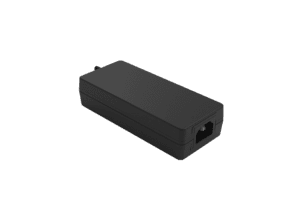
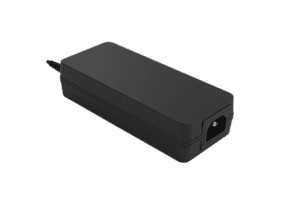
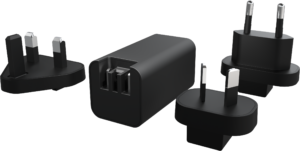
AQ65R-59FKA-R
- Output Power - 65W
- Output Volt - 5V/9V/15V/20V
- Output Current - 3A/3A/3A/3.25A
- # of ports - 1
- Features - GaN Technology, Interchangeable USB Type-C ,DoE Level VI Compliance, 5,000 Meters Operating Altitude, Suitable for commercial and consumer electronic products
- Note: Clips are sold separately
Which events belong in the monitor or networking-device timeline?
Define the equipment sequence using observable events. These may include the input event, initial regulated output, the intended power arrangement, receiving electronics becoming active and the device reaching its required operating state. The actual sequence depends on the equipment architecture, so use the receiving-device documentation rather than a generic USB-C assumption.
A monitor displaying an image and a networking device providing its intended service are device-level endpoints. Controllers, firmware and interfaces can contribute to the interval between available input power and those endpoints. Keep the power-system observations separate from the software or functional readiness measurements.
The USB-IF Power Delivery overview provides general protocol context. It does not establish the timing of an unspecified device and adapter combination. Confirm which power profile the equipment requires and retain the arrangement actually observed with the selected adapter and cable.
Use a shared event record so electrical and software teams discuss the same occurrence. A report that the device took too long to start is less useful than a timeline showing which power and readiness events were observed. Identify missing observations explicitly rather than assigning them inferred timestamps.
| Event | Record | Decision supported |
|---|---|---|
| Input event | What was applied or connected and when | Common time reference |
| Initial output | Defined regulated-output observation | Adapter turn-on comparison |
| Intended power arrangement | Observed profile and device input behavior | Receiving-device power review |
| Device readiness | Equipment-specific functional endpoint | Product startup acceptance |
Why This Matters
- Functional readiness can include stages beyond the adapter’s own output timing.
- A common event record helps different teams compare the same startup sequence.
What OEMs Should Do Now
- Define the equipment’s required functional endpoint and relevant power-system events.
- Retain observed timestamps and clearly mark events that were not measured.
How should initial conditions and accessories be defined?
Distinguish the input event used in each evaluation. Applying AC to the adapter is not the same starting condition as connecting a receiving device to an adapter that is already energized. A supplier parameter defined around AC application should not be assumed to describe every other connection sequence.
Retain the selected adapter, cable, plug clip, device revision and relevant software configuration. Identify the initial equipment state and attached accessories. If the product permits several startup arrangements, define which ones belong in the evaluation plan rather than relying on a single convenient laboratory sequence.
Use representative operating demand. A monitor’s normal functions or a networking device’s connected equipment may change the sequence being evaluated. Determine the combinations that govern the product requirement, then retain those configurations with the results. Do not use a quiet, minimally configured device as the only evidence for a broader released package.
The device-side cable review explains why cable identity and measurement location matter. Keep those details in the startup record too. A changed cable or unidentified measurement boundary can make an apparent timing difference difficult to interpret.
Why This Matters
- Different initial connection states can describe different equipment events.
- Accessories and configuration changes can affect the sequence the product must support.
What OEMs Should Do Now
- Define the starting condition and permitted startup arrangements before evaluating samples.
- Retain adapter, cable, device and accessory identities with each representative result.
How can OEMs investigate an unexpected startup result?
Start with the first observed difference from the requirement. Determine which events were measured and where the sequence stopped or changed. A blank screen, reset or unavailable interface is a device symptom, not proof that the adapter’s turn-on specification was missed. Retain enough power and equipment observations to support a focused investigation.
Compare the device-side input behavior with the required operating arrangement. A source observation alone may not explain what the receiving electronics experienced through the cable and connections. Keep the measurement location, established profile and changing demand connected to the event record.
Separate normal startup behavior from a confirmed protection event. If a protection response occurred, identify the supporting evidence and the applicable model function. Do not label every delayed or unsuccessful device startup as an adapter protection problem. Conversely, do not treat a confirmed protection event as ordinary startup without reviewing its cause and equipment effect.
Use controlled configuration comparisons when changing an adapter, cable or device revision. Record which parts changed and which remained fixed. If several changes occurred together, retain that limitation instead of assigning the result to one component. Send Phihong the exact configuration and timeline when supplier clarification is needed.
Why This Matters
- The final device symptom does not identify the first point of failure.
- Repeatable observations support a more useful diagnosis than a broad startup label.
What OEMs Should Do Now
- Identify the earliest observed departure and retain both power and functional events.
- Use clearly recorded configuration comparisons and confirm causes before assigning them.
What should a startup acceptance record contain?
Retain the equipment requirement, observed events, acceptance criteria and exact configuration. Identify which operating and connection cases were covered. A final pass label is useful only when another reviewer can determine what was actually evaluated and which limits or functional conditions governed the decision.
Keep supplier parameters and equipment results as distinct entries. The AQ65R turn-on and rise-time definitions help frame the power-system review, while the OEM’s device-readiness requirement governs a different endpoint. Preserve the connection between them without presenting one as proof of the other.
Review the record when the cable, adapter alternative, device revision, accessories or startup software changes. Some earlier evidence may remain representative, but state the reason. A shared 65W label does not make every adapter substitution or equipment revision equivalent for startup behavior.
Bring unresolved conditions to Phihong with the model, intended profile, configuration and observed timeline. Ask which documentation and supplied sample arrangement should govern the comparison. The goal is a clear equipment acceptance decision with visible evidence and open questions, rather than an unsupported promise about universal startup speed.
Why This Matters
- A traceable record shows exactly which equipment startup requirement was satisfied.
- Later changes need a reasoned review of whether earlier evidence still applies.
What OEMs Should Do Now
- Retain timing definitions, observed events and acceptance evidence with the equipment revision.
- Review configuration changes and close model-specific questions before carrying approval forward.
Frequently Asked Questions
Does the AQ65R five-second reference mean a monitor must be ready within five seconds?
No. The datasheet defines an AC-application-to-5V-regulation interval under stated conditions. A monitor can have additional power-management, interface and software stages. Define the monitor’s required readiness endpoint separately and evaluate the actual adapter, cable and device configuration against that equipment requirement.
Is the rise-time figure the same as total startup time?
No. Rise time describes a defined output transition. It is distinct from turn-on delay and from the complete receiving device becoming functional. Retain the model’s exact transition definition and test conditions rather than relabeling a rise-time parameter as the duration of every stage in a USB-C equipment sequence.
Are AC application and connecting a device to an energized adapter equivalent tests?
They are different initial conditions. Identify which event begins each evaluation and whether the supplier parameter covers that event. If the released equipment permits both arrangements, decide which evidence is needed for each rather than assuming a result from one sequence establishes the other.
Does an unexpected device reset prove the adapter started too slowly?
No. The observed symptom can involve the cable, receiving circuit, established power arrangement, changing demand or software behavior. Retain a timeline and device-side observations to identify the earliest difference from the requirement before assigning the cause to an adapter timing parameter.
What should be reviewed after a device firmware change?
Determine whether the change affects power management, startup demand, functional readiness or the permitted connection sequence. Retain the changed revision and review which earlier results remain representative. Repeat or extend evaluation where needed instead of automatically carrying every earlier startup conclusion into the new configuration.