










BLOG
Best Guide to 250W Desktop Power Adapters: What Modern Networking, Monitor, Notebook, and Industrial Devices Need
QUICK LINKS
What is a 250W desktop power adapter and where does it fit in modern device design?
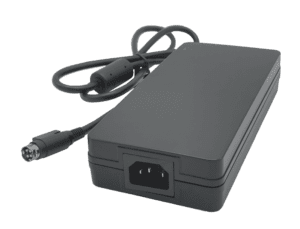
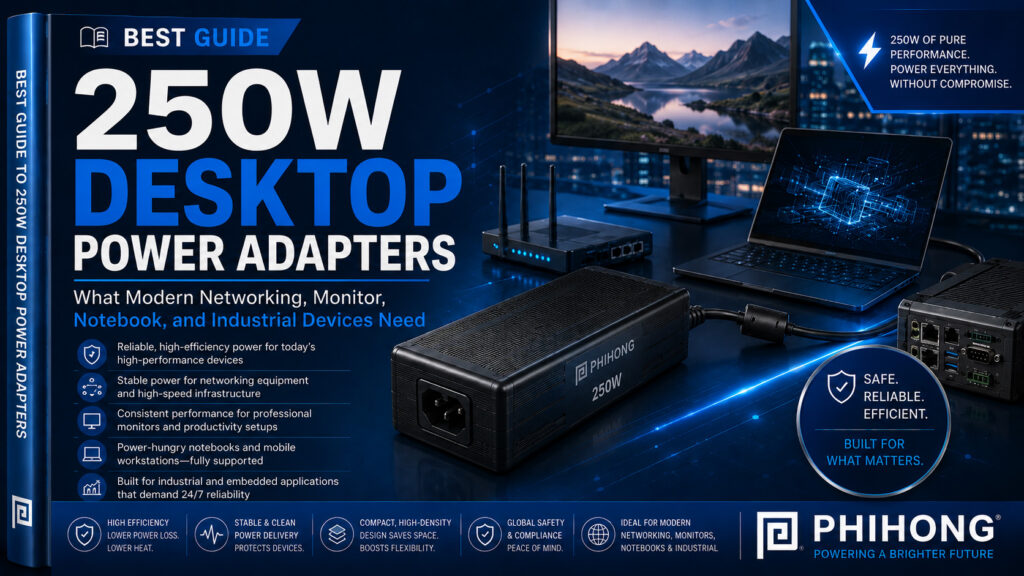
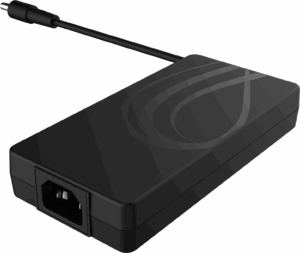
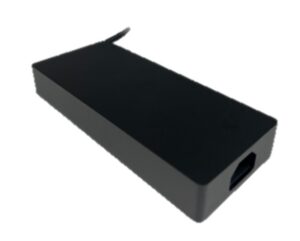
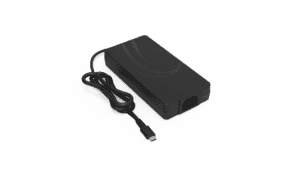
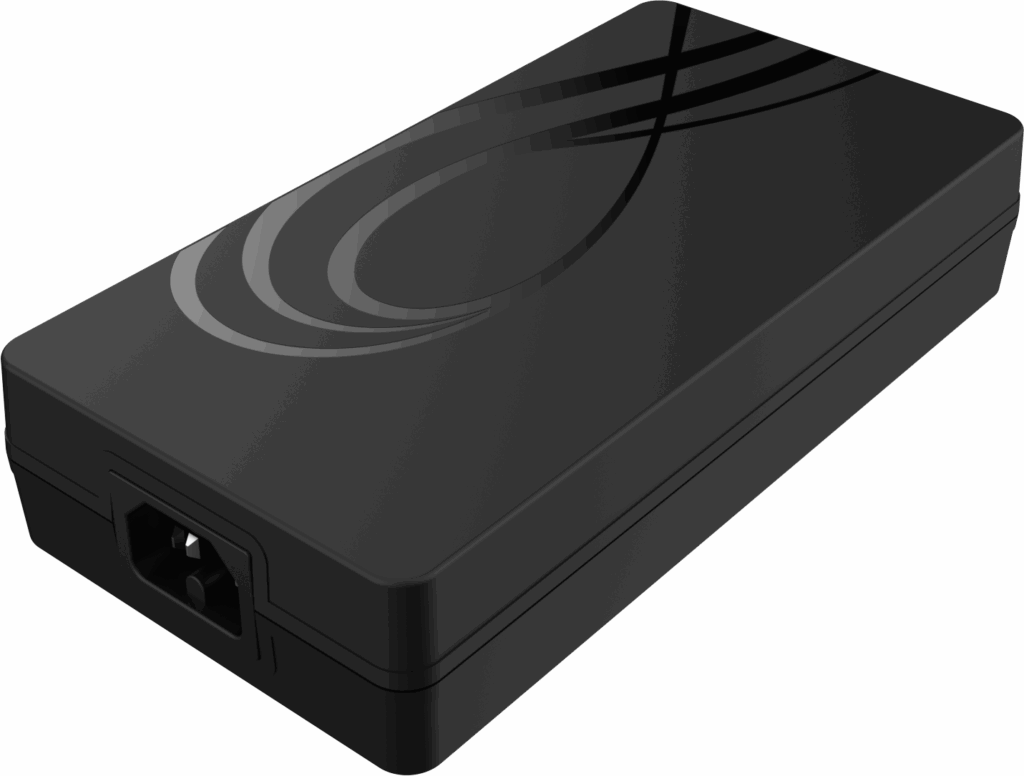
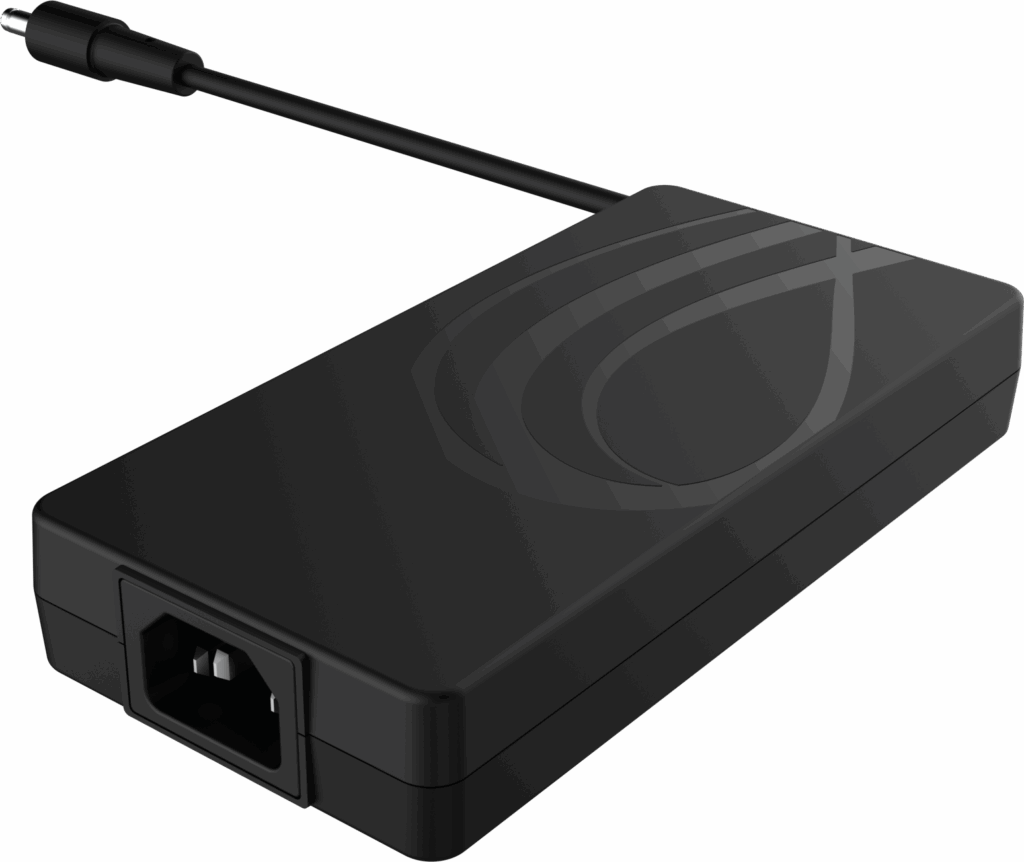
A 250W desktop power adapter sits in the higher-output external adapter category, serving devices that need more power than typical low-wattage USB-C chargers or small wall adapters can provide. For OEMs, startups, engineers, and sourcing teams, this type of adapter is often relevant when the end product needs a stable external power source but does not require an internal open-frame power supply. Phihong’s AM250U-540AP-R datasheet identifies it as a 250-watt Desktop C14 Adapter with 250W continuous output, which places it in a useful range for more demanding commercial and industrial device categories.
This category matters because many modern devices are becoming more power hungry while still needing clean external power architecture. Networking devices, commercial monitors, notebooks, industrial systems, telecom equipment, and automation products may all require more robust external power than smaller consumer accessories. The AM250U-540AP-R datasheet specifically lists applications including networking device, monitor, notebook, and industrial, and its description also references global applications including networking, telecommunications, and industrial automation.
For product teams, the value of a 250W desktop adapter is not only output capacity. It is also about separating the power conversion stage from the device enclosure, simplifying certain thermal and mechanical design decisions, and supporting a more serviceable system architecture. A desktop adapter with a C14 inlet can also fit commercial and industrial environments where detachable AC input cords and international deployment planning matter. The best fit depends on the device’s voltage, current, safety, EMI, efficiency, and environmental requirements.
Why This Matters
• 250W desktop adapters support higher-power devices without moving the power supply inside the enclosure.
• External adapter architecture can simplify serviceability, thermal planning, and mechanical packaging.
• Device categories such as networking, monitors, notebooks, and industrial equipment often need more than basic low-wattage adapters.
What OEMs Should Do Now
• Define the product’s real continuous power requirement before choosing the adapter format.
• Compare external desktop adapters against internal power supply designs early in the architecture phase.
• Review voltage, current, EMI, safety, efficiency, and mechanical requirements together, not separately.
Mini Q&A
What is a 250W desktop power adapter used for?
It is used for higher-power external applications such as networking devices, monitors, notebooks, industrial systems, and similar electronic equipment.
Why choose a desktop adapter instead of an internal power supply?
A desktop adapter can keep power conversion outside the device enclosure, which may simplify thermal design, serviceability, and product packaging.
Is 250W considered high power for an external adapter?
It is higher than many common laptop and USB-C adapters, making it relevant for devices with more demanding power needs.
A 250W desktop adapter is best understood as a system-level power choice, not just an accessory.
Useful Links
Power Adapter Product Line: www.phihong.com/products/adapters/
AM250U-540AP-R 250W Desktop Adapter Datasheet: www.phihong.com/wp-content/uploads/New-datasheet-AM250U-540AP-R_11102025.pdf
OEM Power Solutions: www.phihong.com/
Related Links
Medical Power Supply vs Medical Power Adapter: What’s the Difference and Which One Do You Need?: www.phihong.com/medical-power-supply-vs-medical-power-adapter-whats-the-difference-and-which-one-do-you-need/
The Power Supply Decisions OEMs Regret Most and Why They’re Hard to Fix Later: www.phihong.com/the-power-supply-decisions-oems-regret-most-and-why-theyre-hard-to-fix-later/
Custom Power Supplies: How to Reduce OEM Time to Market with Custom Power Supply Manufacturing: www.phihong.com/custom-power-supplies-how-to-reduce-oem-timetomarket-with-custom-power-supply-manufacturing/
FEATURED PRODUCTS
AM250U-540AP-R
AA240U-200A-R
AA240U-200B-R
AA280U-200B-R
AA240U-59FKEA-R
AA36U-240B-R

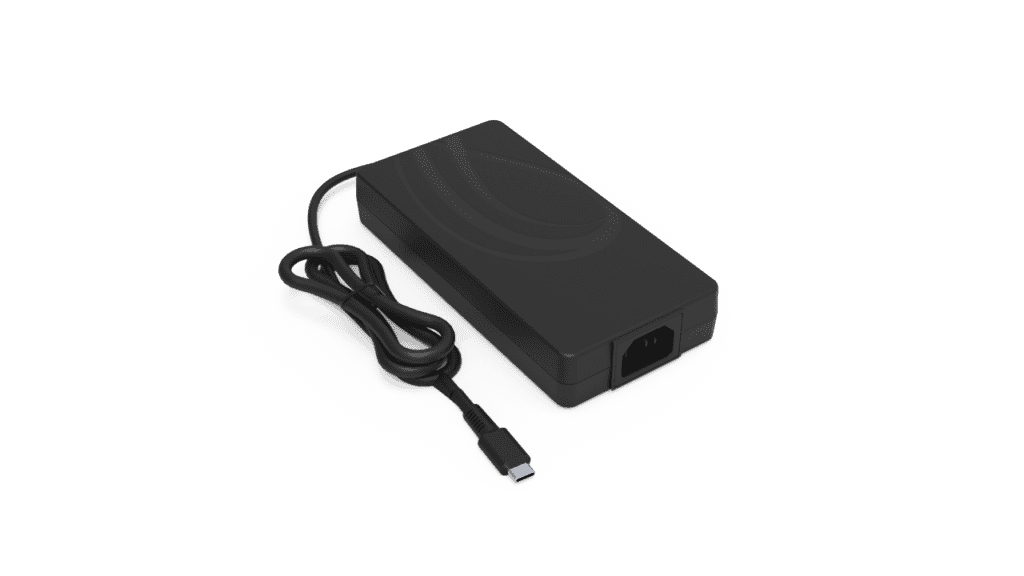
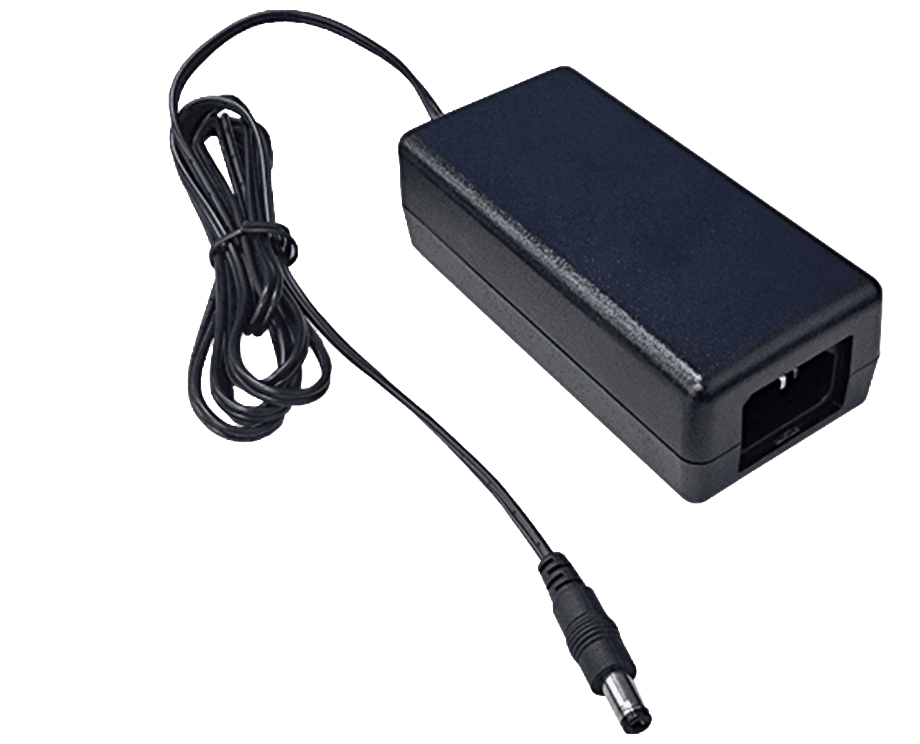
Why does a 54V 250W adapter matter for networking, monitors, notebooks, and industrial devices?
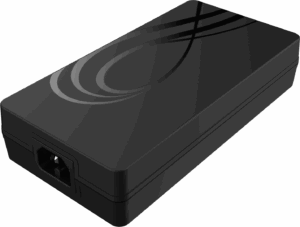
The output profile is one of the most important parts of any adapter decision. The AM250U-540AP-R datasheet specifies 54V ±5% output voltage regulation, 250W continuous output power, and 4.63A maximum load current. Those values help define where the adapter fits and what types of systems it may support. For OEM teams, the combination of higher voltage and moderate current can be useful in applications where power needs to move efficiently from the adapter into the end device.
A 54V adapter is especially relevant because many commercial and industrial devices require more than the lower-voltage outputs commonly associated with consumer electronics accessories. Networking hardware, monitor systems, notebook docking environments, and industrial devices may use internal power conversion stages after the adapter input. In these cases, the external adapter provides a higher-voltage DC source, while the device manages downstream conversion for boards, motors, displays, processors, or control electronics.
For sourcing teams, the key is not simply to search for “250W adapter.” A more precise search may be closer to “54V 250W desktop adapter,” “250W C14 power adapter,” “54V external power supply for networking devices,” or “250W adapter for industrial equipment.” These search patterns reflect how engineers and buyers actually look for power products when they already understand the voltage and wattage range they need.
Why This Matters
• Voltage and current define whether the adapter can realistically match the device architecture.
• A 54V output can support systems that use downstream DC conversion inside the product.
• Searching by wattage alone may miss important voltage, connector, safety, and compliance details.
What’s Driving This Shift
• Networking and industrial systems often require higher-output external power.
• Commercial devices are becoming more power dense while still favoring external adapters in some designs.
• OEM teams increasingly search by exact electrical profile, not just product category.
What OEMs Should Do Now
• Confirm whether the device platform is designed around a 54V DC input.
• Match continuous load requirements against the adapter’s 250W output and 4.63A max load current.
• Review ripple, regulation, transient response, and downstream conversion needs before final selection.
Mini Q&A
What does 54V mean in a desktop adapter?
It means the adapter outputs approximately 54 volts DC, with regulation tolerance that should be matched to the product’s input requirements.
How much current does a 250W 54V adapter provide?
The AM250U-540AP-R datasheet lists a maximum load current of 4.63A.
Why would an OEM choose a higher-voltage adapter?
Higher-voltage external power can be useful when the device performs additional internal conversion for subsystems or distributed loads.
The right adapter begins with the electrical architecture the product is actually designed to use.
Useful Links
AM250U-540AP-R 250W Desktop Adapter Datasheet: www.phihong.com/wp-content/uploads/New-datasheet-AM250U-540AP-R_11102025.pdf
Power Adapter Product Line: www.phihong.com/products/adapters/
OEM Power Solutions: www.phihong.com/
Related Links
The Power Supply Decisions OEMs Regret Most and Why They’re Hard to Fix Later: www.phihong.com/the-power-supply-decisions-oems-regret-most-and-why-theyre-hard-to-fix-later/
Custom Power Supplies: How to Reduce OEM Time to Market with Custom Power Supply Manufacturing: www.phihong.com/custom-power-supply-manufacturing-how-to-reduce-oem-time-to-market/
Best Guide to Open-Frame Internal Power Supplies: How to Choose the Right Internal PSU for Industrial Equipment: www.phihong.com/best-guide-to-open-frame-internal-power-supplies-how-to-choose-the-right-internal-psu-for-industrial-equipment/
What compliance and efficiency specs should OEMs check in a 250W desktop adapter?
For OEMs and procurement teams, compliance and efficiency specs can matter just as much as wattage. The AM250U-540AP-R datasheet lists Class B EMI, US DoE Level VI efficiency compliance, EU CoC Version 5 Tier 2 compliance, and IEC 62368-1 safety requirements. It also lists certifications and compliance markings including CE, CB, UL, RCM, PSE, UKCA, PSB, CCC, KCC, and BSMI, along with ErP and DOE compliance references.
These details are important because a desktop adapter often becomes part of a broader end-product compliance strategy. If a device is intended for global deployment, the adapter’s approvals, safety standard, EMI behavior, and energy efficiency profile can affect sourcing decisions and market readiness. An adapter that meets the electrical output requirement but falls short on regulatory or regional expectations can create delays later in the product cycle.
Efficiency also deserves close attention. The datasheet identifies average efficiency of at least 89% and references DOE Level VII Draft and CoC V5 Tier 2 in the technical data. It also lists power saving of ≤150mW max under the specified test conditions. For manufacturers, these specs may support energy-conscious product planning and help align the power adapter with modern efficiency expectations.
Why This Matters
• Compliance markings can affect global product deployment and sourcing decisions.
• Class B EMI is relevant for commercial electronics and devices used near other equipment.
• Efficiency and standby power matter for energy standards, heat, and long-term operating cost.
What’s Driving This Shift
• OEMs increasingly need power adapters that support global market access.
• Energy efficiency standards continue to shape adapter selection.
• Higher-power devices need EMI performance that fits commercial and industrial environments.
What OEMs Should Do Now
• Verify safety, EMI, regional approvals, and efficiency specs before committing to a power platform.
• Match IEC 62368-1 suitability to the end device category and intended market.
• Review Class B EMI and immunity expectations in the context of the complete system.
Mini Q&A
What safety standard applies to this 250W desktop adapter?
The AM250U-540AP-R datasheet lists IEC 62368-1 under safety requirements.
What does Class B EMI mean for OEMs?
Class B EMI is commonly relevant for equipment used in commercial or residential-adjacent environments where emissions limits are more restrictive than Class A.
Why should sourcing teams care about efficiency levels?
Efficiency affects energy use, heat, compliance planning, and the adapter’s suitability for modern product platforms.
A 250W adapter should be evaluated as a compliance component, not only a power source.
Useful Links
AM250U-540AP-R 250W Desktop Adapter Datasheet: www.phihong.com/wp-content/uploads/New-datasheet-AM250U-540AP-R_11102025.pdf
Power Adapter Product Line: www.phihong.com/products/adapters/
OEM Power Solutions: www.phihong.com/
Related Links
IPC Standards: www.ipc.org/standards
The Power Supply Decisions OEMs Regret Most and Why They’re Hard to Fix Later: www.phihong.com/the-power-supply-decisions-oems-regret-most-and-why-theyre-hard-to-fix-later
What Compliance Engineers Look for in Internal PSUs: EMI, EMS, and Safety Basics: www.phihong.com/what-compliance-engineers-look-for-in-internal-psus-emi-ems-and-safety-basics/
CLIENT'S QUOTE
Phihong’s custom OEM power solutions have transformed our product development, boosting performance and reducing overhead. Their expert engineering support has simplified both the design and manufacturing phases.
Why does a C14 desktop adapter format matter for OEM product integration?
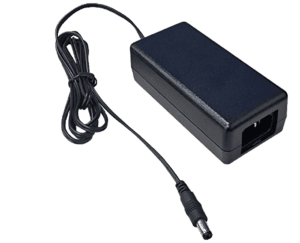
The mechanical format of a power adapter can be just as important as the electrical output. The AM250U-540AP-R is listed as a desktop C14 adapter, which means it is designed for use with a detachable AC input cord rather than a fixed wall-plug body. For OEMs, this matters because C14-style desktop adapters are often easier to deploy across commercial, industrial, networking, and global product environments where AC cord type, plug region, installation setting, and serviceability may vary.
A C14 desktop format can be especially useful when the device itself is not intended to carry the full AC/DC conversion stage internally. Instead of building the power supply into the enclosure, the OEM can use an external desktop adapter that provides the required DC output while giving the end product more flexibility in mechanical design. This can simplify enclosure layout, reduce internal heat concentration, and make the adapter easier to replace or configure for different regions.
For product managers and sourcing teams, this also affects real-world logistics. A detachable input cord can support different regional plug types without changing the adapter body itself. In global deployments, that can simplify inventory planning and reduce the number of adapter SKUs needed for international markets. For devices used in business, industrial, and infrastructure environments, the adapter’s physical format should be evaluated alongside wattage, voltage, safety approvals, and EMI performance.
Why This Matters
• C14 desktop adapters support detachable AC cords for regional deployment flexibility.
• External adapter architecture can reduce internal enclosure and thermal design pressure.
• Mechanical format affects serviceability, installation, inventory planning, and global product rollout.
What’s Driving This Shift
• OEMs are building products for multiple regions and deployment environments.
• Higher-power devices often need more robust external power architecture than wall-plug adapters can provide.
• Sourcing teams want fewer regional variations when possible.
What OEMs Should Do Now
• Confirm whether the device should use an external desktop adapter or an internal power supply.
• Review AC cord strategy, plug regions, installation environment, and service model early.
• Treat adapter format as part of the product architecture, not just packaging.
Mini Q&A
What is a C14 desktop power adapter?
It is a desktop-style external adapter that uses a C14 AC inlet for a detachable input power cord.
Why would an OEM choose a C14 adapter?
It can simplify global deployment, serviceability, and AC cord selection for commercial and industrial products.
Is C14 better than a wall-plug adapter?
Not always. It is usually better for higher-power or more professional applications where detachable AC input and desktop placement make sense.
The adapter’s physical format should match how the device will actually be installed, powered, and serviced.
Useful Links
AM250U-540AP-R 250W Desktop Adapter Datasheet: www.phihong.com/wp-content/uploads/New-datasheet-AM250U-540AP-R_11102025.pdf
Power Adapter Product Line: www.phihong.com/products/adapters/
OEM Power Solutions: www.phihong.com/
Related Links
The Power Supply Decisions OEMs Regret Most and Why They’re Hard to Fix Later: www.phihong.com/the-power-supply-decisions-oems-regret-most-and-why-theyre-hard-to-fix-later/
Custom Power Supplies: How to Reduce OEM Time to Market with Custom Power Supply Manufacturing: www.phihong.com/custom-power-supplies-how-to-reduce-oem-timetomarket-with-custom-power-supply-manufacturing/
Medical Power Supply vs Medical Power Adapter: What’s the Difference and Which One Do You Need?: www.phihong.com/medical-power-supply-vs-medical-power-adapter-whats-the-difference-and-which-one-do-you-need/
What protection features should a 250W desktop adapter include?
Protection features are critical in a higher-output desktop adapter because the adapter may be powering expensive networking, monitor, notebook, industrial, or infrastructure equipment. The AM250U-540AP-R datasheet lists several protection functions, including short circuit protection, over-voltage protection, over-current protection, and over-temperature protection. For OEM teams, these are not minor checklist items. They help determine how the adapter behaves when the end device experiences abnormal load conditions, overheating, wiring faults, or system-level failures.
Short circuit protection matters because downstream equipment can experience faults during development, field use, or service events. Over-current protection helps manage cases where the load exceeds expected operating limits. Over-voltage protection helps reduce risk to the powered device if output behavior moves outside the expected range. Over-temperature protection is especially important at 250W because heat can become a reliability factor when the adapter is used continuously or in warm installation environments.
For engineers and sourcing teams, the right question is not simply whether the adapter has protection features. The better question is whether those protections match the device’s real operating environment, load profile, fault conditions, and safety strategy. A 250W external adapter may be used in equipment that runs for long hours or is deployed in commercial or industrial settings. That makes protection behavior an important part of product reliability planning.
Why This Matters
• Protection features help reduce risk during abnormal load, thermal, and fault conditions.
• Higher-power adapters need safeguards that match real system operating conditions.
• Protection behavior can influence field reliability, service experience, and product durability.
What OEMs Should Do Now
• Review short circuit, over-voltage, over-current, and over-temperature protection during adapter evaluation.
• Validate adapter behavior under expected fault and overload conditions.
• Match protection requirements to the end product’s load profile, operating environment, and service model.
Mini Q&A
What protection features are listed for the AM250U-540AP-R?
The datasheet lists short circuit, over-voltage, over-current, and over-temperature protection.
Why is over-temperature protection important in a 250W adapter?
At higher output levels, heat management becomes more important for reliability and safe operation.
Should OEMs test protection behavior themselves?
Yes. Adapter protections should be reviewed in the context of the complete system and expected operating conditions.
Protection features help make the adapter part of a safer and more reliable product architecture.
Useful Links
AM250U-540AP-R 250W Desktop Adapter Datasheet: www.phihong.com/wp-content/uploads/New-datasheet-AM250U-540AP-R_11102025.pdf
Power Adapter Product Line: www.phihong.com/products/adapters/
OEM Power Solutions: www.phihong.com/
Related Links
The Power Supply Decisions OEMs Regret Most and Why They’re Hard to Fix Later: www.phihong.com/the-power-supply-decisions-oems-regret-most-and-why-theyre-hard-to-fix-later/
How to Validate Thermal Performance of Open-Frame Power Supplies in Real Enclosures: www.phihong.com/how-to-validate-thermal-performance-of-open-frame-power-supplies-in-real-enclosures/
Best Guide to Open-Frame Internal Power Supplies: How to Choose the Right Internal PSU for Industrial Equipment: www.phihong.com/best-guide-to-open-frame-internal-power-supplies-how-to-choose-the-right-internal-psu-for-industrial-equipment/
Why do operating temperature, altitude, and MTBF matter in 250W adapter selection?
Environmental specifications are often overlooked until late in product development, but they can strongly affect whether a desktop adapter is a good fit for the intended application. The AM250U-540AP-R datasheet lists an operating temperature range of 0°C to +40°C, storage temperature range of -20°C to +80°C, operating humidity of 10% to 90%, and operating altitude up to 5,000 meters. It also lists MTBF greater than 100,000 hours at full load and 25°C ambient conditions.
For OEMs, these values help define the boundaries of where and how the adapter should be used. A networking device in a climate-controlled office has different environmental needs than industrial equipment deployed in a warm equipment cabinet. A monitor or notebook system used globally may face different altitude and temperature conditions depending on region. If the adapter is selected without reviewing those environmental limits, the system may later run into performance, reliability, or deployment constraints.
MTBF is also useful as a reliability planning signal, but it should be interpreted carefully. It does not guarantee that every adapter will operate for a specific number of hours in every environment. Instead, it provides a calculated reliability benchmark under defined conditions. For sourcing and engineering teams, MTBF should be reviewed together with operating temperature, load conditions, cooling environment, and expected duty cycle.
Why This Matters
• Environmental specs define where the adapter can realistically operate.
• Temperature and humidity affect reliability and long-term performance.
• MTBF is useful only when interpreted with load and ambient conditions.
What’s Driving This Shift
• Commercial and industrial devices are deployed in more varied environments.
• OEMs need power adapters that match real operating conditions, not only lab assumptions.
• Reliability expectations are increasing across networking, monitor, notebook, and industrial applications.
What OEMs Should Do Now
• Compare the adapter’s operating temperature and altitude limits against the final deployment environment.
• Review MTBF in the context of actual load, ambient temperature, duty cycle, and product life expectations.
• Avoid assuming a desktop adapter is suitable for every industrial or outdoor-adjacent use case without validation.
Mini Q&A
What operating temperature range is listed for the AM250U-540AP-R?
The datasheet lists an operating temperature range of 0°C to +40°C.
Why does 5,000m operating altitude matter?
It may support use in higher-altitude deployment environments where standard assumptions may not be enough.
Does MTBF guarantee product life?
No. MTBF is a reliability estimate under defined conditions and should be reviewed with the real application environment.
Environmental fit helps determine whether a 250W desktop adapter is truly suitable for the device and deployment setting.
Useful Links
AM250U-540AP-R 250W Desktop Adapter Datasheet: www.phihong.com/wp-content/uploads/New-datasheet-AM250U-540AP-R_11102025.pdf
Power Adapter Product Line: www.phihong.com/products/adapters/
OEM Power Solutions: www.phihong.com/
Related Links
How to Validate Thermal Performance of Open-Frame Power Supplies in Real Enclosures: www.phihong.com/how-to-validate-thermal-performance-of-open-frame-power-supplies-in-real-enclosures/
The Power Supply Decisions OEMs Regret Most and Why They’re Hard to Fix Later: www.phihong.com/the-power-supply-decisions-oems-regret-most-and-why-theyre-hard-to-fix-later/
Custom Power Supplies: How to Reduce OEM Time to Market with Custom Power Supply Manufacturing: www.phihong.com/custom-power-supplies-how-to-reduce-oem-timetomarket-with-custom-power-supply-manufacturing/
How Phihong supports 250W desktop power adapter selection for OEM devices
For OEMs, startups, engineers, and sourcing teams evaluating higher-output external power, Phihong’s AM250U-540AP-R provides a focused example of a 250W desktop adapter designed for modern commercial and industrial device categories. Its 54V output, 4.63A maximum load current, C14 desktop format, Class B EMI, IEC 62368-1 safety reference, and protection features make it relevant to device teams that need more than a basic low-wattage external adapter.
The strongest fit for this category is not simply “any device that needs 250W.” The better fit is a product platform that needs external AC/DC power conversion, stable 54V DC output, global compliance support, detachable AC input flexibility, and protection features that support system reliability. That may include networking devices, commercial monitors, notebook-related systems, industrial equipment, telecom products, and automation devices where a higher-output desktop adapter makes more sense than an internal power supply.
For product teams, the AM250U-540AP-R should be reviewed as part of the full device architecture. That means evaluating voltage, current, continuous load, enclosure strategy, safety approvals, EMI requirements, efficiency, standby power, environmental limits, and service model together. When those requirements align, a 250W desktop adapter can simplify product integration while supporting higher-power device categories.
Why This Matters
• A 250W desktop adapter can support higher-power devices while keeping AC/DC conversion outside the main enclosure.
• The AM250U-540AP-R offers a specific 54V, 250W power profile for OEM evaluation.
• Datasheet details help engineers and sourcing teams match the adapter to real product requirements.
What OEMs Should Do Now
• Start with the datasheet and confirm whether the device architecture supports 54V DC input.
• Review compliance, EMI, efficiency, protection, and environmental limits before committing to the adapter.
• Compare external desktop power against internal PSU options based on thermal, service, and product packaging goals.
Mini Q&A
What Phihong product is relevant to this 250W desktop adapter topic?
The AM250U-540AP-R is a 250W Desktop C14 Adapter with 54V output listed in the product datasheet.
What applications does the datasheet identify?
The datasheet lists networking devices, monitors, notebooks, and industrial applications.
Why should OEMs review the datasheet before choosing this adapter?
Because the datasheet defines the voltage, current, compliance, environmental, protection, and mechanical requirements that determine real product fit.
The best adapter choice is the one that matches the product architecture, not just the wattage target.
Useful Links
AM250U-540AP-R 250W Desktop Adapter Datasheet: www.phihong.com/wp-content/uploads/New-datasheet-AM250U-540AP-R_11102025.pdf
Power Adapter Product Line: www.phihong.com/products/adapters/
OEM Power Solutions: www.phihong.com/
Related Links
The Power Supply Decisions OEMs Regret Most and Why They’re Hard to Fix Later: www.phihong.com/the-power-supply-decisions-oems-regret-most-and-why-theyre-hard-to-fix-later/
Custom Power Supplies: How to Reduce OEM Time to Market with Custom Power Supply Manufacturing: www.phihong.com/custom-power-supplies-how-to-reduce-oem-timetomarket-with-custom-power-supply-manufacturing/
Best Guide to Open-Frame Internal Power Supplies: How to Choose the Right Internal PSU for Industrial Equipment: www.phihong.com/best-guide-to-open-frame-internal-power-supplies-how-to-choose-the-right-internal-psu-for-industrial-equipment/
A 250W desktop power adapter is more than a higher-wattage accessory. For the right device, it can shape the product’s thermal strategy, enclosure design, service model, global deployment planning, and compliance pathway. OEM teams that evaluate the adapter as part of the full system will make better decisions than teams that compare only wattage and price.
As networking hardware, commercial displays, notebook systems, telecom equipment, and industrial devices continue to demand more external power, the adapter category will keep becoming more strategic. The strongest product teams will evaluate desktop adapters by exact voltage, current, safety, EMI, efficiency, environmental, and protection requirements before moving into sourcing or production.

CONTACT US TODAY
From concept to production, Phihong delivers custom OEM power solutions tailored to your specifications.
FAQ
What is a 250W desktop power adapter?
A 250W desktop power adapter is an external AC/DC power supply designed to deliver higher output power than many small wall-plug or low-wattage adapters. It is commonly used when a device needs a stronger external DC power source while keeping power conversion outside the main enclosure. For OEMs, this can support better thermal planning, easier serviceability, and more flexible product packaging.
What devices use a 250W desktop adapter?
The AM250U-540AP-R datasheet lists applications such as networking devices, monitors, notebooks, and industrial equipment. Similar higher-output desktop adapters may also be relevant for telecom systems, automation equipment, commercial electronics, and other products that need more power than smaller external adapters typically provide.
What voltage is the AM250U-540AP-R adapter?
The AM250U-540AP-R datasheet lists a 54V DC output with ±5% voltage regulation. It also lists 250W continuous output power and 4.63A maximum load current. OEM teams should confirm that their device input architecture is designed around this voltage and current profile before evaluating the adapter further.
Why does Class B EMI matter in a desktop adapter?
Class B EMI is important because many commercial, office, and mixed-use environments require stricter emissions behavior than industrial-only settings. For OEMs, EMI performance should be reviewed as part of the complete system design because the adapter and end device operate together in real deployment conditions.
What protection features should OEMs look for in a 250W adapter?
OEM teams should review short circuit, over-voltage, over-current, and over-temperature protection. The AM250U-540AP-R datasheet lists these protection functions. These features help determine how the adapter behaves during abnormal load conditions, thermal stress, wiring faults, or system-level issues.
Why does a C14 desktop format matter?
A C14 desktop adapter uses a detachable AC input cord, which can be helpful for global deployments where different regional plug types are needed. It also supports a more professional desktop power format for higher-power commercial, industrial, networking, and monitor applications compared with many wall-plug designs.
Should OEMs choose a 250W external adapter or an internal power supply?
That depends on the device architecture. A 250W external adapter may make sense when the OEM wants to keep heat and AC/DC conversion outside the enclosure. An internal power supply may be better when the product requires a self-contained design. Thermal, compliance, serviceability, enclosure size, and deployment needs should all be reviewed before deciding.
POE technology supports the centralization of power

AC Adapter Guide: Everything You Need to Know
Moreover, PoE technology supports the centralization of power management. By powering devices through a PoE-enabled network …
AC DC Power Chargers and How They Work: A Comprehensive Technical Breakdown
Moreover, PoE technology supports the centralization of power management. By powering devices through a PoE-enabled network …

USB-C Charger: Shaping the Future of the Tech World
Moreover, PoE technology supports the centralization of power management. By powering devices through a PoE-enabled network …

AC Adapter Guide: Everything You Need to Know
Moreover, PoE technology supports the centralization of power management. By powering devices through a PoE-enabled network …

AC DC Power Chargers and How They Work: A Comprehensive Technical Breakdown
Moreover, PoE technology supports the centralization of power management. By powering devices through a PoE-enabled network …

USB-C Charger: Shaping the Future of the Tech World
Moreover, PoE technology supports the centralization of power management. By powering devices through a PoE-enabled network …