








BLOG
How Do You Choose a 45W USB-C PD Wall Charger for Laptops, Tablets and Commercial Devices?
QUICK LINKS
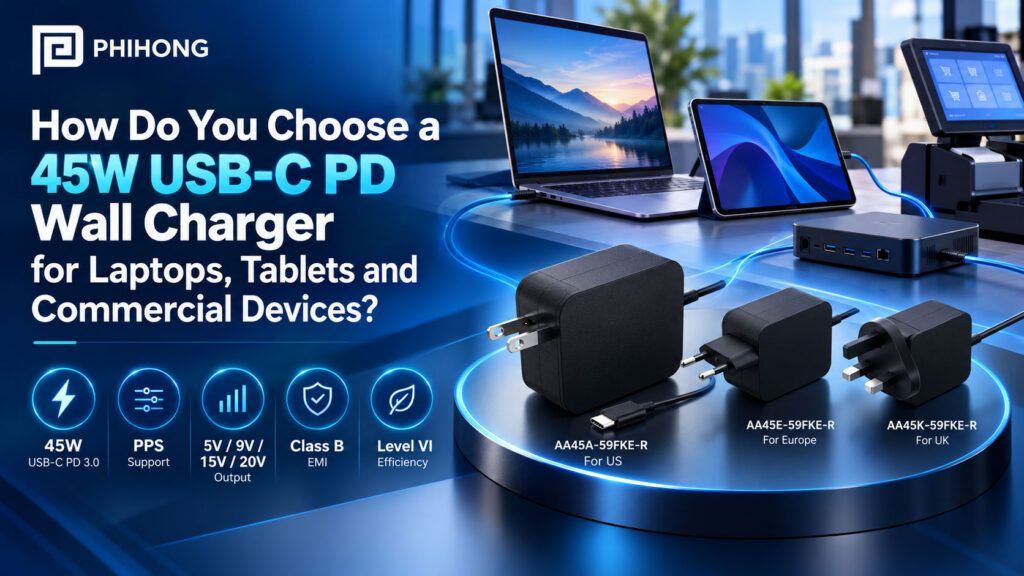
A 45W USB-C PD wall charger is a suitable candidate when its supported output profile matches the device input and its available power covers the intended operating and charging workload. OEM selection also needs the correct regional plug, practical cable routing and evidence from the finished system. A USB-C connector and a 45W label do not settle those decisions.
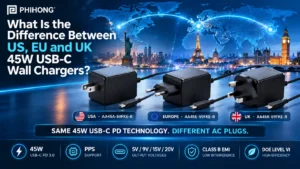
Phihong’s AA45A-59FKE-R, AA45E-59FKE-R and AA45K-59FKE-R provide a specific family to evaluate. The shared technical datasheet identifies US, EU and UK fixed-plug versions with USB Power Delivery 3.0 and PPS support. This guide uses that family to build a selection process for laptops, tablets and commercial devices. It separates documented adapter capabilities from the system behavior your engineering team still needs to verify.
Selection is not complete when the charger powers the device once. Use the 45W USB-C wall-charger durability test discussion to plan the mechanical and repeated-use evidence needed for the intended application, then record the actual test conditions and results.
What power budget should a 45W USB-C wall charger cover?
Start at the device power input, rather than its battery capacity or average idle consumption. The adapter may need to support the processor, display, communications hardware and accessories while also supplying the battery charging path. A device that consumes modest power on a desk may demand more during startup, updates or a sustained workload. Those operating states belong in the requirement before procurement selects a wattage.
The AA45 family has different power ceilings at its fixed voltage profiles. The table below calculates nominal voltage multiplied by the documented maximum continuous current. These are alternative operating profiles, not outputs that can be added together. A device requiring 45W at 9V cannot obtain that capability simply because the adapter can provide 45W at 15V or 20V.
| Nominal output | Maximum continuous current | Calculated profile power | Selection implication |
|---|---|---|---|
| 5V | 3A | 15W | Check low-voltage device demand |
| 9V | 3A | 27W | Do not assume the full 45W rating |
| 15V | 3A | 45W | Verify the sink accepts this profile |
| 20V | 2.25A | 45W | Check both voltage and current requirements |
Record whether your product promises operation only, operation plus battery charging or a specified recharge time during operation. These are different acceptance targets. A charger can support one without meeting the others.
Why This Matters
- A total wattage rating can conceal a limiting current at the voltage your device actually uses.
- A defined charging target prevents a low-load demonstration from becoming the basis for a production claim.
What OEMs Should Do Now
- List the required input profiles and measured demand for each intended operating state.
- Calculate the available power at the selected profile and document the remaining charging budget.
Useful Links
AA45 family electrical specifications
FEATURED PRODUCTS


For the next checks in a 45W charger evaluation, review matching a 45W USB-C charger to device input requirements, AA45 regional plugs and integration differences and 45W charger load and charging-time planning.
How do USB PD negotiation and device input requirements affect selection?
USB Power Delivery allows the source and sink to establish an agreed power contract. The source is the charger. The sink is the equipment receiving power. The device input circuitry and firmware determine which advertised capabilities it can request and use. Physical connection alone does not establish that the required voltage, current or charging behavior is available.
For an OEM-designed product, review the sink controller configuration alongside the hardware input range. Identify the acceptable fixed profiles, any minimum power needed to boot and what happens if the preferred contract is unavailable. Firmware may need to limit a workload, delay battery charging or display a power warning. Treat those responses as product requirements rather than unexpected exceptions found late in qualification.
| Input requirement | Evidence to collect |
|---|---|
| Accepted voltage and current | Device input specification and observed PD contract |
| Minimum startup power | Boot test with a depleted battery and intended accessories |
| Fallback behavior | Firmware response when the preferred profile is unavailable |
| Charging during operation | Battery trend during the representative workload |
For an existing laptop or tablet, use its manufacturer’s charging requirements and approved accessory guidance. The connector shape does not justify a blanket compatibility statement across a device category.
Why This Matters
- The source’s capability and the sink’s accepted contract can differ even when their headline ratings appear compatible.
- Startup and fallback behavior affect the user experience before a steady-state load measurement begins.
What OEMs Should Do Now
- Capture PD negotiation on the actual device hardware and firmware revision.
- Define acceptable behavior for insufficient power, reconnects and battery-depleted startup.
Useful Links
USB-IF overview of USB Power Delivery
Related Links
PD and PPS terminology in Phihong’s 65W adapter guide
When does PPS need a separate compatibility check?
Programmable Power Supply, or PPS, supports requests for adjustable output within advertised capabilities. It matters when the device charging architecture uses that functionality. It is not an additional power supply layered on top of the fixed output, and it does not establish compatibility with every charging mode a phone manufacturer markets under a proprietary name.
The AA45 family datasheet lists PPS support and a 5V to 21V voltage range. That statement is useful for shortlisting, but it does not by itself provide a complete current-versus-voltage capability map for every intended operating point. Obtain the actual advertised PPS capabilities and check the requested voltage, current and power against them. Do not multiply a range endpoint by a current taken from a different fixed profile.
Keep the PPS decision specific to the product. If your sink uses a fixed PD contract and meets the operating requirement with it, PPS may not be necessary for that configuration. If a desired charging mode depends on PPS, qualification should establish that the mode is negotiated and maintained under the relevant battery and temperature conditions. The presence of PPS on the datasheet is the beginning of that verification.
Why This Matters
- An adjustable voltage range does not mean every current is available throughout that range.
- A product can operate successfully through fixed PD while missing a separate PPS-dependent charging target.
What OEMs Should Do Now
- Request the advertised PPS capability details for the exact adapter configuration.
- Test the sink’s intended PPS mode separately from its fixed-profile fallback.
Useful Links
USB-IF specification library and AA45 PPS specification
Which AA45 regional plug belongs in each product kit?
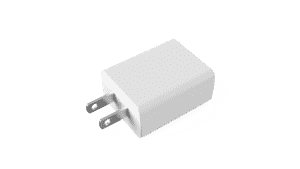
The family uses separate fixed-plug variants. AA45A-59FKE-R is identified for the US, AA45E-59FKE-R for Europe and AA45K-59FKE-R for the UK. This is a regional model selection, not an interchangeable-head system. The adapter’s broad AC input range does not change the physical plug geometry or establish approval for every destination.
Choose the regional part number at the kit or bill-of-materials level. Include the intended receptacle environment, outlet clearance and applicable documentation in that choice. “Europe” is a supplier’s regional designation, not proof that one plug fits every socket in every European country. Deployment planning should identify actual destination countries and installation conditions.
| Model | Supplier-designated plug region | Product record |
|---|---|---|
| AA45A-59FKE-R | US | US fixed-plug AA45 adapter |
| AA45E-59FKE-R | Europe | EU fixed-plug AA45 adapter |
| AA45K-59FKE-R | UK | UK fixed-plug AA45 adapter |
Use one regional mapping in purchasing, packaging and service records. A shared electrical family can simplify engineering comparisons while still requiring different physical kits and compliance evidence.
Why This Matters
- A suitable electrical input range cannot correct a mismatched plug or an obstructed outlet.
- Regional configuration errors can pass a bench test and still reach the wrong customer kit.
What OEMs Should Do Now
- Map each destination and kit identifier to an explicit regional adapter part number.
- Confirm current model-specific market documentation before release.
Related Links
Fixed and interchangeable formats in the separate 65W family
How should the attached USB-C cable affect mechanical integration?
The AA45 technical document specifies an attached DC cable terminating in a USB-C plug, with a 2.0m, 18AWG cable identified in its mechanical information. Evaluate that supplied assembly as part of the adapter. Do not describe this family as a USB-C socket charger with a user-selected detachable cable.
The attached arrangement makes cable length and routing part of product integration. Check the path from the wall outlet to the equipment, required bend clearance at the device and how the cable behaves when the equipment moves. A countertop terminal, portable tablet stand and laptop cart can impose different routing and strain conditions despite using the same power profile.
| Decision | Check in the actual installation |
|---|---|
| Reach | Outlet position, mounting height and practical cable path |
| Connector clearance | Device recess, neighboring ports and enclosure access |
| Strain relief | Movement, snag points and load on the device receptacle |
| Service strategy | Replacement of the supplied adapter assembly |
The USB-C plug does not establish video, networking or high-speed data capability. This is a power-adapter selection. If the application also needs data, specify that connection separately rather than assuming the charging lead provides it.
Why This Matters
- The supplied cable can determine whether a wall adapter is practical in a commercial installation.
- Unverified data assumptions can create an accessory design that never meets the equipment’s functional requirement.
What OEMs Should Do Now
- Review a production-representative adapter and cable in the intended enclosure and mounting arrangement.
- Document the supported cable configuration and replacement process in the product specification.
Useful Links
AA45 mechanical and cable information
What environmental and compliance evidence belongs in the selection file?
The shared datasheet lists a 0°C to 40°C operating temperature range. Use that as a product-source limit, then evaluate the conditions at the adapter in your installation. Room temperature measured elsewhere is not necessarily the temperature around a charger behind a display, inside furniture or near another heat source. Avoid assuming unrestricted full-load operation in a mounting arrangement the supplier has not addressed.
The document also references protection functions, efficiency requirements and safety and EMC items. Preserve the difference between a stated design requirement, a listed certificate and an approval document for the exact released model. A family datasheet is not a substitute for current certificates, reports or declarations applicable to the destination market and supplied configuration.
| Evidence | What it establishes | What remains to check |
|---|---|---|
| Adapter datasheet | Supplier-listed characteristics and conditions | Revision and applicability to the purchased model |
| Certificates and reports | Documented scope of the stated assessment | Model coverage, current status and destination |
| Finished-system evaluation | Behavior of the integrated configuration | Product-specific acceptance and release requirements |
Do not turn an adapter’s Class B EMI statement into a promise that the complete device will pass an EMC assessment. Cable routing, enclosure design and other electronics belong in the system evaluation.
Why This Matters
- Installation conditions can differ substantially from the conditions used to specify an adapter.
- Approval wording loses its meaning when the covered model, revision and market are omitted.
What OEMs Should Do Now
- Record ambient conditions and the adapter’s placement in the worst intended operating configuration.
- Ask qualified compliance personnel to review the actual adapter documentation and finished-product requirements.
Useful Links
AA45 environmental, protection and compliance references
How do you turn a shortlist into an OEM qualification plan?
Qualification should reproduce the way the equipment will be sold and used. Keep the adapter model, device revision, firmware, accessories and workload together in each test record. A bare board running one task cannot stand in for a finished product with a display, radio and battery charging simultaneously.
Begin with negotiation and startup, then evaluate sustained operation and charging behavior. Include relevant reconnects, sleep transitions and expected recovery after a power interruption. Add thermal, mechanical and compliance assessments using agreed procedures. Record observed behavior against prewritten acceptance criteria rather than declaring a pass because the equipment remains on.
| Stage | Primary question | Record |
|---|---|---|
| Contract and startup | Does the intended configuration establish sufficient power? | Negotiation capture and boot result |
| Operating workload | Does the equipment sustain its promised functions? | Input voltage, current and workload behavior |
| Battery behavior | Does charging meet the defined target? | Battery trend and test conditions |
| Installation and release | Does the full configuration meet the qualification criteria? | Thermal, mechanical and compliance review |
Engineering should determine sample coverage and test duration from the application. This sequence is a planning aid, not evidence that an adapter has already passed your product’s qualification.
Why This Matters
- A reproducible configuration makes failures actionable and successful results traceable.
- Separate acceptance for operation and charging prevents an incomplete test from approving an overstated product claim.
What OEMs Should Do Now
- Write the acceptance criteria before collecting results and identify who approves exceptions.
- Retain test records with model, firmware, workload, battery state and environmental conditions.
Useful Links
USB-IF technical specifications and test resources
How can Phihong’s AA45 family support a documented sourcing decision?
The AA45 family offers three named regional candidates sharing a documented 45W PD output architecture. That makes it possible to organize a sourcing review around a common electrical requirement while preserving separate plug configurations. Select the actual model and obtain its current release information, samples and applicable documentation before making a purchasing commitment.
A useful inquiry gives Phihong the device’s accepted input profiles, expected operating load, battery charging target, destination markets and proposed installation. Include the cable route and environmental constraints. Those details allow the supplier discussion to focus on fit and outstanding evidence rather than treating “USB-C, 45W” as a complete specification.
Keep the procurement record separate from the editorial description. A published product page confirms that a product record exists. It does not confirm inventory, production lead time, commercial terms or completion of all market approvals. Ask for those facts for the exact part number and intended purchase. If the system requirement grows beyond the family’s supported capabilities, review another adapter instead of stretching the meaning of the 45W rating.
Why This Matters
- A defined requirement gives engineering and purchasing the same basis for accepting an adapter.
- Current release and availability information must come from the supplier, not an article or historical product map.
What OEMs Should Do Now
- Send a requirement brief naming the regional models and the intended device operating configuration.
- Close documentation, sample-validation and commercial questions before releasing the adapter into the product kit.
Useful Links
Discuss AA45 adapter requirements with Phihong
Related Links
Phihong’s separate guide to 65W USB-C adapter formats
Choose a 45W charger by matching its actual contract capabilities to the equipment’s operating and charging requirement, then qualify the regional assembly in the finished system. For help reviewing the AA45 family against a defined application, contact Phihong with your device and market requirements.
Frequently Asked Questions
Can any USB-C laptop use a 45W wall charger?
No universal compatibility claim is justified. The laptop must accept an available PD profile and operate within the power delivered through that contract. Its manufacturer may specify a higher-power adapter or restrict accessory use. Verify the exact laptop configuration, including charging under load and depleted-battery startup, before approving a 45W adapter for a kit.
Does the AA45 family provide 45W at every voltage?
No. The documented fixed profiles provide up to 3A at 5V, 9V and 15V, and up to 2.25A at 20V. Multiplying nominal voltage by current gives 15W, 27W, 45W and 45W respectively. The sink’s accepted voltage therefore matters as much as the adapter’s total rating. These profiles represent alternative contracts.
Is PPS required for every device?
No. A device can use a supported fixed PD profile without using PPS. PPS needs separate attention when the intended charging architecture or charging target depends on adjustable output. Confirm the actual advertised capabilities and the device’s requests rather than assuming PPS support proves every fast-charging mode will work.
Are the US, EU and UK versions interchangeable plug heads?
No. AA45A, AA45E and AA45K are separate fixed-plug model variants. Match the full part number to the destination kit and confirm physical receptacle fit and applicable documentation. A broad input-voltage range does not make the plug interchangeable or establish approval for every country.
Can the attached USB-C cable also carry display or network data?
The referenced AA45 documentation establishes a power-adapter output assembly, not a display or network connection. Do not infer data capabilities from the USB-C plug. Specify any required data path separately and verify it using the documentation for the actual cable and device configuration.
What should an OEM provide when requesting samples?
Provide the required input profiles, measured operating demand, battery charging target, regional plug choices, cable-routing constraints and environmental conditions. Identify the device revision and intended accessories. Ask for current model documentation and release status alongside samples so qualification and sourcing evaluate the same configuration.