









BLOG
OEM USB-C GaN Adapters: How Should Manufacturers Qualify 65W Power for Monitors and Networking Devices?
QUICK LINKS
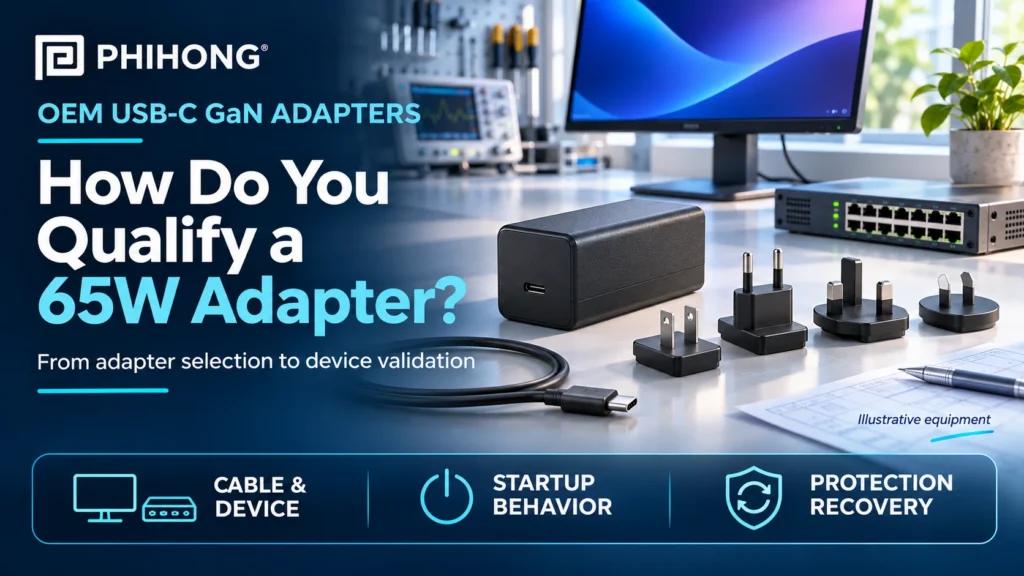
Quick Answer: Qualify a 65W USB-C GaN adapter as part of the complete equipment power path. Match the device’s required USB-C power profile, cable, startup behavior, regional plug arrangement and operating environment. Then evaluate normal operation and relevant protection events on the representative device. A USB-C connector and a 65W label alone do not establish compatibility.
A monitor may accept USB-C power but need a particular input profile to support its intended operating mode. A networking device may appear to start correctly while still responding poorly to a delayed input, a changed cable or a protection event. These are equipment questions that a nominal wattage comparison cannot close by itself.
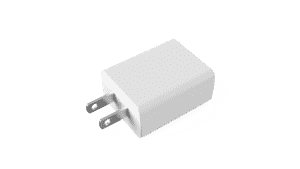
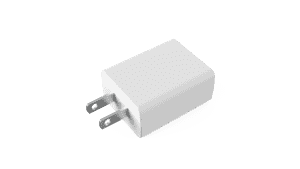
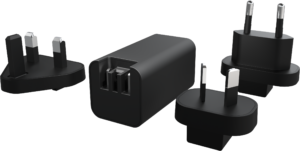
Phihong’s AQ65R-59FKA-R is a 65W GaN interchangeable USB Type-C adapter identified for applications including monitors and networking devices. Its product record lists 5V, 9V, 15V and 20V output options with corresponding currents of 3A, 3A, 3A and 3.25A. The current datasheet supplies conditions that belong in the qualification plan.
This guide addresses the evidence behind an OEM equipment decision. It complements the existing 65W adapter format guide without repeating its form-factor overview. Keep the exact model, cable, plug clip and device revision connected throughout the review.
Match the device requirement to an available power profile
Start with the receiving device’s requirements. Identify which input voltage and current it needs for the intended operating combinations, including attached accessories where relevant. Keep those requirements separate from the adapter’s maximum nominal power. A monitor or network appliance should not be assumed to use the highest listed profile merely because its connector is USB-C.
For AQ65R, the listed 20V and 3.25A operating option corresponds to 65W. The lower-voltage options have their own listed current and resulting power. Review the exact adapter and device combination instead of treating 65W as available at every voltage. Retain the profile actually established in the representative equipment evaluation.
USB-C Power Delivery involves the source, receiving device and connection. The USB-IF Power Delivery overview provides general background. It does not certify an unspecified adapter and device combination or establish optional features for a particular model. Confirm any capability the equipment depends on in the model documentation.
The existing USB-C output-profile guide covers the broader terminology. Do not infer PPS or another optional function for AQ65R from that general article. Ask Phihong to confirm model-specific support when it is part of the device requirement.
| Listed AQ65R option | Corresponding nominal power | OEM review |
|---|---|---|
| 5V at 3A | 15W | Required device behavior at this profile |
| 9V at 3A | 27W | Required device behavior at this profile |
| 15V at 3A | 45W | Required device behavior at this profile |
| 20V at 3.25A | 65W | Complete supported adapter, cable and device configuration |
Why This Matters
- Maximum nominal power does not describe every output profile.
- The device must support the intended operating arrangement, including any required optional features.
What OEMs Should Do Now
- Record the device’s required input profile and actual operating combinations.
- Confirm the exact model capabilities and retain the profile observed during equipment evaluation.
FEATURED PRODUCTS

AQ65R-59FKA-R
- Output Power - 65W
- Output Volt - 5V/9V/15V/20V
- Output Current - 3A/3A/3A/3.25A
- # of ports - 1
- Features - GaN Technology, Interchangeable USB Type-C ,DoE Level VI Compliance, 5,000 Meters Operating Altitude, Suitable for commercial and consumer electronic products
- Note: Clips are sold separately
Treat the cable as part of the qualified power path
Identify the cable before interpreting an output measurement. The AQ65R datasheet places output-parameter testing at the end of a 2-meter Type-C cable described as 130mΩ. This is a defined measurement arrangement. It is not a statement that any cable of the same length will produce the same result or that every replacement cable is equivalent.
Retain the selected cable’s identity and relevant documentation with the equipment configuration. Confirm that the complete connection supports the intended operating arrangement. A mechanically mating cable does not, by itself, establish the necessary power capability or device-side behavior. Avoid using an unidentified laboratory cable as the silent basis for a released product claim.
Measure where the equipment requirement applies. Voltage at the adapter side and voltage presented to the receiving circuit answer different questions. The installed cable and its connections can change the result. Record the measurement location and load condition so a later reviewer can distinguish a source observation from equipment-side evidence.
Use the same discipline for accessory and service replacements. If the released product allows multiple cables, identify the combinations covered by the evaluation. A substitution should be reviewed against the actual requirement rather than accepted because the new package carries a similar wattage description. Keep unresolved cable questions visible in the release record.
Why This Matters
- Cable identity and measurement location affect how an output result should be interpreted.
- A changed cable can create a changed equipment configuration.
What OEMs Should Do Now
- Record the exact cable and the device-side acceptance criteria used for qualification.
- Review permitted replacement cables against the same equipment requirement and supporting evidence.
Define startup as an equipment sequence
Separate AC application, initial output regulation, subsequent profile behavior and equipment readiness. These events are related, but a single startup number does not necessarily describe all of them. A monitor becoming usable or a network device reaching its intended state can involve its own controllers, firmware and load sequence.
AQ65R’s documented turn-on delay is measured from AC application to completed 5V regulation under the stated test conditions. That definition should remain attached to the specification. It is not a general promise that a connected monitor displays an image, or a networking device completes its startup, within the same interval.
Create an equipment timeline with observable events and acceptance criteria. Retain the device revision, cable, adapter and initial conditions with the results. Identify whether a failure occurs before the expected power arrangement is established or after the device begins drawing its operating load. The distinction supports a useful investigation instead of an assumption based on the final symptom.
Include the operating cases the product is expected to support. A device that starts on a quiet bench may behave differently with its normal accessories or a different initial state. Use a repeatable plan and retain the observations needed to explain the equipment response. Do not transfer a result from another USB-C adapter family without reviewing its conditions.
Why This Matters
- Adapter output timing and complete device readiness are different measurements.
- A defined sequence helps identify where an equipment startup problem begins.
What OEMs Should Do Now
- Define the observed power and device-readiness events before evaluating startup.
- Retain initial conditions and representative device configurations with the timing evidence.
Qualify the regional plug arrangement and mechanical configuration
The AQ65R product record states that clips are sold separately. Treat the intended plug clips as selected parts of the equipment package rather than assuming a regional set is included. Confirm the exact compatible clip and supplied configuration before finalizing the bill of materials, sample request or packaging plan.
Review mechanical evidence for the actual adapter-and-clip combination. A published test description may address a particular event, orientation or regional configuration. Keep those conditions with the result. A tumbling test is not an insertion-cycle test, and evidence from one clip configuration should not be silently presented as evidence covering every permitted combination.
The fixed-blade and interchangeable comparison explains the broader format decision. For qualification, move from that architecture discussion to exact parts and supporting evidence. Identify which assembly, handling and service conditions belong in the equipment review.
The regional plug-system guide provides related distribution context. Mechanical compatibility does not by itself establish every market approval or packaging requirement. Confirm the applicable configuration and current documentation with the responsible suppliers and equipment team.
Why This Matters
- A separately supplied clip needs a defined part and configuration in the equipment package.
- Different mechanical tests establish different kinds of evidence.
What OEMs Should Do Now
- Confirm compatible clip part numbers, supplied sample contents and intended regional combinations.
- Retain the exact configuration and conditions covered by the available mechanical evidence.
Evaluate protection behavior at the complete-device level
A protection function tells the team something about the adapter’s intended response to a defined event. It does not describe every consequence for the connected device. The AQ65R datasheet distinguishes latching overcurrent and short-circuit protection from automatic overtemperature behavior. Keep those protection types separate in the equipment plan.
Do not treat a protection threshold as usable operating headroom. A device whose normal demand depends on entering a protection region has an unresolved power requirement. Review the actual operating profile and the conditions for the intended output before interpreting an interruption as an ordinary recovery case.
Define what acceptable equipment behavior means after the relevant event is removed. The device may need to restore a power arrangement, restart part of its electronics or report a fault. Confirm the adapter’s required reset conditions with Phihong where the documentation does not fully specify them. Do not invent a universal unplugging sequence or an automatic-retry guarantee for a latching function.
Retain observations that distinguish an adapter protection event from a downstream reset or software problem. A blank monitor or unavailable network interface is a symptom, not proof of the initiating cause. The responsible equipment team should use controlled evaluation and defined criteria to determine whether the complete response is acceptable.
Why This Matters
- Protection type and complete-device recovery are separate qualification questions.
- A protection threshold should not become an assumed normal operating allowance.
What OEMs Should Do Now
- Define the equipment acceptance criteria for relevant protection and recovery cases.
- Confirm any unclear reset conditions and retain device-side observations with the event record.
Keep environment and compliance claims model-specific
The AQ65R datasheet lists an operating temperature range of 0°C to 35°C. Use the current model conditions when planning the equipment environment. Do not assume that a compact GaN adapter supports a wider temperature range because a different Phihong product is intended for industrial service or because the receiving device has a broader rating.
Review the adapter in the intended installation and usage arrangement. Surrounding objects, enclosure features and the equipment operating pattern can affect the environment it experiences. Retain the configuration and conditions with evaluation evidence. A favorable result in one arrangement should not be extended to an undefined installation.
Keep supplier compliance documents connected to the exact model and configuration they cover. A list of standards in a product document is useful information for the responsible compliance review, but it is not a blanket approval of the complete OEM equipment. Confirm the current supporting documents and their applicability to the intended product and markets.
The public product record and datasheet can also contain different levels of detail or an apparent mismatch. Ask Phihong to resolve any difference that controls the equipment decision rather than selecting whichever description appears more favorable. Retain the received clarification with the model and documentation revision used for qualification.
Why This Matters
- The receiving device’s environment rating does not automatically describe its external adapter.
- Supplier documents need to be reviewed for the exact configuration and intended equipment use.
What OEMs Should Do Now
- Confirm the applicable model environment and evaluate the representative installation.
- Obtain current configuration-specific documents and close any material inconsistency with Phihong.
Build a release record that follows the adapter, cable and device
A useful release record identifies the exact adapter, cable, clip, receiving-device revision and relevant software configuration. Connect each requirement to available evidence and distinguish passed checks from untested cases. This gives engineering and procurement a shared definition of the equipment combination being approved.
Retain the results for normal operation, startup, changing demand and relevant protection events. Record the measurement locations and operating conditions rather than keeping only a final pass label. The details make later changes easier to assess and help a supplier understand a problem without reconstructing the entire evaluation from memory.
Use a defined change review for later cable substitutions, clip changes, device revisions or adapter alternatives. Some earlier evidence may remain relevant, but explain why. A common 65W label or a familiar USB-C shape is not sufficient justification for carrying every result into the changed equipment package.
Bring the equipment requirement to Phihong with a short list of open questions. Ask which current model documentation, supplied configuration and sample arrangement should govern the evaluation. Confirm commercial availability directly. The goal is a clear, model-specific qualification decision that supports the equipment being released.
Why This Matters
- A traceable equipment combination makes later substitutions and revisions assessable.
- Specific evidence and open questions make supplier discussions more productive.
What OEMs Should Do Now
- Retain a qualification matrix linking requirements, exact configurations and evidence.
- Review changes before carrying previous approvals into a revised equipment package.
Frequently Asked Questions
Does a 65W USB-C adapter work with every USB-C monitor?
No. Confirm the monitor’s required power arrangement and the complete adapter, cable and device combination. The connector alone does not establish compatibility. Some monitors use USB-C for functions other than receiving the required operating power, so use the receiving-device documentation and representative equipment evidence rather than a connector-shape assumption.
Is 65W available at every listed AQ65R voltage?
No. The product record lists different voltage and current combinations. The 20V, 3.25A option corresponds to 65W; lower-voltage options have their own current and resulting power. Review the exact profile the receiving device requires and retain the operating arrangement observed during evaluation.
Are the interchangeable plug clips included?
The AQ65R product record states that clips are sold separately. Confirm the compatible regional clip parts and the exact supplied sample or ordering configuration with Phihong. Include the selected clips in the equipment bill of materials and qualification record rather than assuming an unspecified regional set is part of the adapter package.
Does the adapter’s startup specification describe complete network-device readiness?
Not by itself. An adapter timing specification has a defined beginning, endpoint and test condition. A network device can have additional power-management and software stages. Define the equipment’s readiness requirement, observe the relevant sequence and retain the actual adapter, cable and device configuration with the results.
What should an OEM send Phihong before requesting samples?
Provide the receiving-device requirement, intended power profile, operating combinations, cable, plug arrangement and installation environment. Include the device revision and specific unresolved questions about timing, protection or documentation. Ask Phihong to confirm the proposed model and supplied sample configuration, then retain commercial availability as dated project information.